Manage POS orders smoothly with Ginesys Retail ERP

Published:
Last Updated:
Modern retail has undergone a massive transformation over the last decade. What was once a transaction-driven industry has now evolved into an experience-driven ecosystem, where customer satisfaction, personalization, and convenience play a central role. Retailers today are no longer just selling products they are curating experiences, building relationships, and ensuring seamless journeys across both online and offline channels.
One of the most important aspects of this transformation is the increasing focus on consumer shopping experience. Customers today expect flexibility, transparency, and control over their purchases. They want the ability to reserve products, customize them, and complete transactions at their convenience. Retailers who are able to adapt to these expectations are the ones who succeed in building long-term customer loyalty.
In this context, POS (Point of Sale) orders have become a critical retail practice. POS orders allow customers to make advance payments against selected items, with the remaining payment completed at the time of delivery or final purchase. This approach offers flexibility to both customers and retailers, making it an essential feature in modern retail operations.
POS orders are especially relevant in scenarios where immediate fulfillment is not possible or when customers require personalized products. However, while the concept is simple, managing POS orders efficiently is a complex task. It involves tracking inventory, managing customer commitments, handling partial payments, and ensuring timely fulfillment all of which require a robust system.
This is where a Retail ERP system plays a crucial role. A well-integrated ERP solution enables retailers to manage POS orders seamlessly, ensuring accuracy, transparency, and efficiency across all processes.
What Is a POS Order in Modern Retail?
A POS order is a retail billing workflow where a customer places an advance down payment to secure specific products, paying the remaining balance at delivery or pickup. This standard workflow allows storefronts to capture active consumer demand even when immediate stock is unavailable.
This concept has evolved significantly in the modern retail landscape. Today, POS orders are not limited to in-store reservations they are also used in omnichannel scenarios such as:
- Click-and-collect orders
- Endless aisle ordering (ordering items not available in-store)
- Customized product bookings
- Pre-orders for upcoming collections
POS orders provide flexibility to customers by allowing them to secure products even when they are not immediately available. At the same time, they help retailers capture demand, manage inventory better, and improve customer satisfaction.
In What Common Scenarios Do Storefronts Utilize POS Orders?
Storefronts utilize POS orders primarily when a customer requests a product specification that is out of stock or when an item requires tailored customizations before delivery.
1. Product Not Available in Required Specification
When a customer finds a product they like but it is not available in the required specification such as size, color, or variant they may choose to place a POS order.
For example, a customer may like a shirt that is available in size 40, but they require size 42. Instead of losing the sale, the retailer can place a POS order to source the required size from another store, warehouse, or supplier.
In today's omnichannel environment, this process is even more streamlined. Retailers can check inventory across multiple locations in real time and fulfill the order from the nearest available source.
2. Customization Requirements
Another common scenario is when customers require customization. This is particularly relevant in categories such as ethnic wear, luxury fashion, footwear, and furniture.
For example, a customer purchasing a sherwani may request alterations or custom design changes. In such cases, a POS order allows the retailer to capture the requirement, collect an advance payment, and process the customization request.
Customization has become a key differentiator in modern retail, and POS orders play a crucial role in enabling this capability.
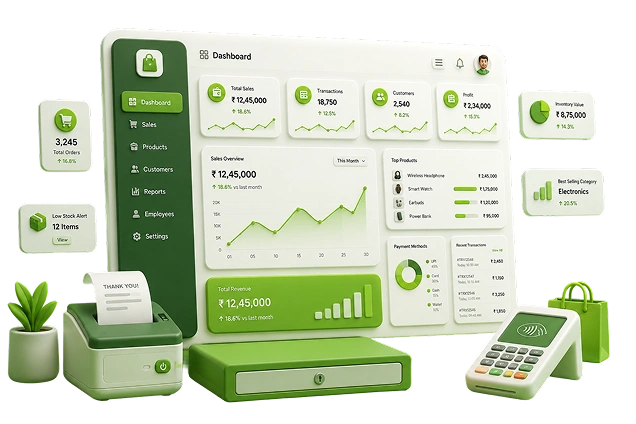
Reserve inventory, manage customer bookings, and track every POS order with greater accuracy.
How Do Automated POS Bookings Impact the Retail Customer Experience?
Automated POS bookings improve the retail customer experience by eliminating the frustration of out-of-stock rejections and providing transparent timeline tracking for delayed deliveries.
When customers are given the option to reserve products, customize items, and complete payments at their convenience, it creates a sense of trust and reliability. This, in turn, strengthens the relationship between the customer and the brand.
A smooth POS order process also reduces friction in the buying journey. Instead of turning customers away due to stock limitations, retailers can offer alternative solutions, ensuring that the sale is not lost.
Over time, this approach helps build customer loyalty and encourages repeat business.
What Operational Challenges Arise from Fragmented POS Order Tracking?
Fragmented POS order tracking creates critical business bottlenecks such as double-selling reserved stock, miscalculating partial accounting ledgers, and causing fulfillment delays.
While POS orders offer significant benefits, they also introduce operational complexities. Managing these orders manually or through outdated systems can lead to several challenges, such as:
- Inaccurate inventory tracking
- Mismanagement of advance payments
- Difficulty in tracking order status
- Lack of visibility for management
- Delays in order fulfillment
These challenges can negatively impact customer experience and lead to operational inefficiencies.
Hence, managing POS orders effectively requires a robust system that can handle all aspects of the process in a structured and automated manner.

Gain real-time visibility into reserved stock and prevent fulfillment delays across locations.
How Does a Retail ERP System Streamline Complex POS Orders?
A Retail ERP system streamlines POS orders by unifying storefront checkout transactions with central inventory databases, client loyalty books, and corporate financial accounting ledgers. This unified platform ensures all store departments view identical, real-time data.
Retail ERP systems integrate POS operations with inventory management, customer data, financials, and reporting. This integration eliminates data silos and ensures that all stakeholders have access to accurate and up-to-date information.
In today's retail ecosystem, solutions like Ginesys ERP, when combined with POS systems and order management platforms, provide a comprehensive framework for managing POS orders.
These systems enable retailers to:
- Track orders in real time
- Manage inventory across multiple locations
- Handle advance payments and financial adjustments
- Generate detailed reports and insights
What Core System Features Are Needed to Manage POS Orders Successfully?
Successful POS order management requires five core system features: real-time inventory blocking, automated multi-item reconciliation, smart customer tagging, proportional advance adjustments, and complete lifecycle reporting.
1. Inventory Blocking (Layaway Concept)
Once a POS order is placed, the system allows the retailer to block the required quantity in the inventory. This is commonly known as the layaway concept.
This ensures that the reserved item is not sold to another customer, maintaining the integrity of the order.
In modern systems, inventory blocking is updated in real time across all channels. This means that the reserved stock is excluded from available inventory, preventing overselling.
This feature also plays a crucial role in replenishment planning. Retailers can view actual available stock versus reserved stock, enabling better inventory decisions.
2. Order Reconciliation
Retail ERP systems allow multiple orders for a single item to be reconciled efficiently. Similarly, a single order containing multiple items can also be managed seamlessly.
This flexibility is essential in real-world retail scenarios, where customers may place multiple orders or modify their requirements over time.
Modern systems also support automated reconciliation, reducing manual effort and minimizing errors.
3. Customer Tagging and Smart Matching
When a customer is tagged to a POS order, the system can intelligently match and reconcile items associated with that customer.
This feature simplifies order management, especially in cases where customers have multiple active orders. It ensures that all transactions and adjustments are accurately linked to the correct customer.
Customer tagging also enables personalized communication and better service.
4. Advance Payment Adjustment
One of the most critical aspects of POS order management is handling advance payments.
Retail ERP systems automatically adjust the advance amount proportionally across the items in the order. This ensures fairness and transparency in financial transactions.
It also prevents scenarios where customers back out of commitments after placing multiple orders, as the system maintains a structured record of payments and allocations.
5. Order Lifecycle Tracking and Reporting
Modern POS order management systems provide complete visibility into the lifecycle of an order.
Retailers can track different stages such as:
- Order creation
- Inventory allocation
- Processing
- Fulfillment
- Delivery or pickup
Stage-wise reporting enables management to monitor performance, identify bottlenecks, and improve efficiency.
Advanced analytics tools further enhance this capability by providing insights into order trends, customer behavior, and operational performance.

Automate order processing and connect sales, inventory, and finance on a single platform.
What Modern Enhancements Are Driving Next-Generation POS Order Management?
Next-generation POS order management is driven by cloud-based deployment agility, distributed order management systems (OMS), and unified data lakehouse analytics platforms.
Omnichannel Integration
POS orders are now integrated with online and marketplace orders through order management systems. This enables features like:
- Buy online, pick up in store (BOPIS)
- Ship-from-store
- Unified returns
Cloud-Based POS Systems
Cloud POS solutions like Zwing POS enable retailers to manage orders from anywhere, providing flexibility and scalability.
Integration with Order Management Systems
Platforms like Browntape (OMS) help manage orders across multiple channels, ensuring seamless fulfillment.
Advanced Analytics
Tools like InsightX provide real-time dashboards and insights, helping retailers optimize order management and improve decision-making.
Conclusion
Managing POS orders efficiently is essential for delivering a seamless customer experience and maintaining operational efficiency.
In today's competitive retail environment, retailers cannot afford to rely on manual processes or outdated systems. Modern Retail ERP solutions provide the tools and capabilities needed to handle POS orders effectively, ensuring accuracy, transparency, and scalability.
By integrating POS, ERP, order management, and analytics into a unified ecosystem, retailers can streamline operations, improve customer satisfaction, and drive business growth.
Ultimately, the ability to manage POS orders smoothly is not just an operational requirement it is a strategic advantage that can set retailers apart in a rapidly evolving market.
Ready to simplify POS order management and deliver a seamless customer experience?
FAQs
1. What is a POS order in retail management?
A POS order is a specialized retail transaction where a consumer reserves out-of-stock or customized products by making a partial advance down payment, with the remaining balance collected upon delivery or fulfillment.
2. How does the retail layaway concept work in a POS system?
The layaway concept works by immediately blocking the reserved product within the central inventory ledger the moment a down payment is logged. This excludes the item from active stock pools and prevents overselling.
3. Why is an integrated ERP essential for managing POS orders?
An integrated ERP is essential because it links storefront partial payments directly with warehouse inventory lists, client transaction ledgers, and backend accounting modules, eliminating data friction and manual human processing errors.
4. Can POS customer reservations be integrated with online e-commerce sales?
Yes, modern retail platforms connect physical checkout points with online marketplaces through distributed order management systems, allowing for seamless omnichannel workflows like click-and-collect.
5. How do advanced retail systems handle partial advance payment adjustments?
Advanced retail systems automatically distribute the initial down payment proportionally across all individual items listed on the invoice, ensuring structured ledger entries even if items are returned or exchanged.
6. What role does cloud POS technology play in order fulfillment?
Cloud POS technology grants store associates real-time, device-independent access to global stock availability, allowing them to book client orders, check warehouse states, and process checkouts from anywhere on the floor.