Order Management Checklist for Omnichannel Retailers (2026)
Published:
Last Updated:
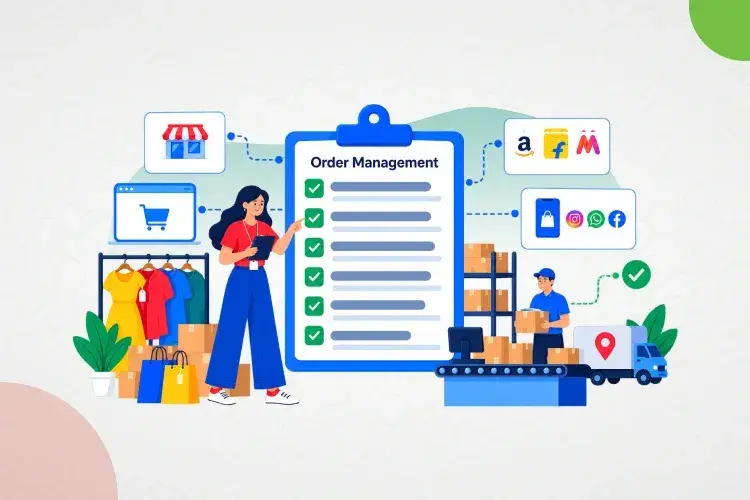
The moment a retailer adds a second sales channel, order management stops being a back office task and becomes the operational nerve center of the business. A website, three marketplaces, and a store network all generating orders at the same time means someone, or something, has to decide in real time what gets fulfilled from where, what's actually in stock, and what happens when a courier fails or a return comes back.
Most teams don't find out where their order management process actually breaks until it's tested, usually during a flash sale, a festive spike, or a new marketplace launch. This checklist is built to be run before that happens: twelve areas to audit, in the order they typically fail, with what “good” looks like at each stage. It's written to double as both an internal readiness audit and a structured way to evaluate an order management system (OMS) vendor.
Key Takeaway:
Reliable omnichannel order management means every order, from website, marketplace, or quick commerce marketplace, lands in one system in real time; inventory reflects true sellable stock across every location; fulfillment routes automatically by rule, not by someone's judgment call; and returns, payments, and GST reconcile without a manual month end scramble. Most breakdowns trace back to one of these four things happening on a delay instead of instantly.

Auditing your own order management process against this list?
Why Omnichannel Order Management Breaks Down as You Scale
Orders Trapped in Channel Silos
Each marketplace and the website typically ship with their own seller dashboard. Without a system pulling all of them into one place, someone is logging into four or five different panels to know what's been sold, which is slow, error prone, and doesn't scale past a handful of orders a day.
Inventory That Lies
A single stock number split manually across channels goes stale the moment two channels sell the same unit within minutes of each other. That's an oversell, a cancelled order, and a customer who won't order again. True inventory management has to reflect one live number across every channel, not five separately updated ones.
Manual Reconciliation at Month End
Marketplace payouts, COD collections, and gateway settlements rarely match the order value exactly, after commissions, shipping deductions, and returns. Teams without automated reconciliation end up rebuilding this in spreadsheets every month, and small errors compound fast at volume.
No Visibility Until a Customer Complains
Without SLA tracking, the first sign of a fulfillment problem is often a customer support ticket or a marketplace penalty for a late shipment, not an internal alert. By then it's already cost you a rating, a return, or a suspended listing.
How to Use This Checklist
Run through all twelve points as a quarterly audit, and always before a known demand spike (festive sales, a new marketplace launch, a flash sale). If you're evaluating an OMS vendor, use the same twelve points as your questions list; a vendor that can't give a direct answer on any of them is telling you where the gaps will show up later.
The 12-Point Omnichannel Order Management Checklist
Here's the full checklist, with what a healthy setup looks like and the most common sign that a business is falling short on each point.
| # | Checklist Area | What Good Looks Like | Common Failure Sign |
|---|---|---|---|
| 1 | Order capture & channel sync | All orders (web, marketplace, store) land in one system in real time | Staff manually checking multiple seller dashboards daily |
| 2 | Single view of inventory | One live stock number across all channels and locations | Overselling, especially during sales or peak periods |
| 3 | Order routing & fulfillment rules | Orders auto-route to the best warehouse/store by rule | Manual decisions on where to fulfill each order |
| 4 | Warehouse & picking operations | Automated picklists tied to bin-level stock | Pickers searching physically for stock, frequent short-picks |
| 5 | Shipping & courier management | Multi-carrier rules, auto label/manifest/AWB generation | Manual courier selection and label creation per order |
| 6 | Returns & reverse logistics | Returns tracked in the same system as forward orders | Returns handled over email/spreadsheet, refund delays |
| 7 | Payment & marketplace reconciliation | Payouts auto-matched to orders, net of charges | Manual monthly reconciliation, unexplained payout reconciliation gaps |
| 8 | GST & e-invoicing on online orders | E-invoicing and GST auto-applied per order and return | Manual GST correction at filing time |
| 9 | Customer communication & SLA tracking | Automated status updates, pre-breach SLA alerts | Customers finding out about delays before the business does |
| 10 | Peak-season / spike readiness | System holds order volume without manual firefighting | Order backlogs and missed SLAs during sales events |
| 11 | Reporting & profitability visibility | Per-channel, per-order profitability and aging reports | Only total revenue is visible, not channel-level margin |
| 12 | System & integration health | ERP-POS-OMS-marketplace sync actively monitored | Sync breaks discovered only when a customer complains |
See all 12 of these covered natively on one platform.
1. Order Capture and Channel Sync
Every order, regardless of source, should land in one system within seconds of being placed. If your team is manually checking a website admin panel and three separate marketplace seller panels to know what's been sold, you don't have order management, you have order tracking after the fact.
- Orders from web, marketplace, and in-store channels sync automatically, no manual export/import
- A single dashboard shows every order regardless of source
- Adding a new channel doesn't require a custom integration project each time; see how this works in practice in Ginesys's Myntra onboarding guide, and how it plugs into 100+ pre-built marketplace integrations.
2. Single View of Inventory
Inventory accuracy is the single biggest determinant of whether omnichannel retail actually works. If store, warehouse, and channel stock aren't reading from the same number, overselling is a matter of when, not if.
- Stock levels update in real time across every channel the moment a sale happens anywhere
- Buffer and safety stock rules prevent overselling on fast moving items
- Store and warehouse stock are both visible to the same inventory management layer, not tracked separately
3. Order Routing and Fulfillment Rules
Once an order comes in, the system, not a person, should decide where it ships from. Manual routing decisions don't scale past a small order volume and are the first thing that breaks during a spike.
- Rules based routing considers stock availability, location proximity, and fulfillment cost
- Ship-from-store, click and collect, and endless aisle are supported, not just warehouse only fulfillment
- Partial fulfillment is possible so one out of stock item doesn't delay the whole order
4. Warehouse and Picking Operations
A perfect order routing decision is worthless if the warehouse can't pick and pack it accurately. This is where digital systems most often hand back off to manual, spreadsheet driven processes.
- Picklists generate automatically from confirmed orders, tied to bin-level stock in the warehouse management system
- Pickers work from system directed bin locations, not memory or physical searching
- Picked and packed status updates flow back to the OMS automatically, not via a manual status change
5. Shipping and Courier Management
Shipping is where SLA misses become visible to the customer first. The right setup picks the right courier automatically and generates every shipping document without manual entry.
- Multiple courier partners are integrated, with rules for choosing the best one per order (cost, speed, serviceability)
- Shipping labels, manifests, and AWBs generate automatically in each marketplace's required format
- Marketplaces are updated automatically once an order ships, without a manual status change per platform
6. Returns and Reverse Logistics
Returns are where most manual order management setups quietly fall apart, because they were designed around the forward order flow and returns were bolted on afterward. These are the same reverse logistics best practices Ginesys recommends across omnichannel brands.
- Returns and exchanges are tracked in the same system as the original order, not a separate spreadsheet or inbox
- Refund and restocking triggers happen automatically once a return is received and verified
- Return reasons are captured and reportable, not just processed and forgotten
7. Payment and Marketplace Reconciliation
This is the checklist item that eats the most hours if it's manual. Every marketplace deducts commissions and charges differently, and matching payouts to orders by hand doesn't scale.
- Marketplace payouts, COD collections, and gateway settlements reconcile automatically against orders
- Per-order and per-item profitability is visible after all charges and deductions
- Discrepancies are flagged automatically, not discovered during a manual audit
8. GST and E-Invoicing on Online Orders
Online order volume adds real GST compliance load: e-invoicing per order, correct treatment on returns and refunds, and accurate reporting across every channel.
- E-invoicing and GST are applied automatically per order, not corrected manually before filing
- Returns and refunds carry the correct GST treatment automatically, the same automated debit note and credit note handling Ginesys applies across purchase and sales returns
- GSTR reconciliation pulls directly from actual transaction data, not a reconstructed export
9. Customer Communication and SLA Tracking
The business should know about a fulfillment problem before the customer does, or at minimum, at the same time.
- Order status and tracking updates go out automatically at each stage, not on request
- SLA breach alerts fire before the deadline, not after
- Customer service has visibility into full order history without switching systems
10. Peak-Season and Spike Readiness
A system that works fine on an average day and buckles during a festive sale hasn't actually been tested. This is the checklist item most businesses only discover they've failed after the fact.
- The system has handled, or been stress tested for, order volumes several times normal daily load
- Fulfillment rules and inventory buffers hold up automatically during a spike, without manual intervention
- There's a clear fallback process for what happens if a specific channel or warehouse goes down mid sale. Brands running Ginesys One alongside major marketplace sale events have seen order volumes jump significantly without manual firefighting, as seen with Flipkart's Big Billion Days.
11. Reporting and Profitability Visibility
Revenue alone doesn't tell you whether a channel, or an order, is actually profitable once fulfillment and marketplace costs are accounted for.
- Reporting breaks down by channel, not just total revenue
- Order aging and fulfillment SLA performance are visible in a dashboard, not compiled manually
- Profitability per order and per item is calculable, not just per settlement cycle
12. System and Integration Health
The connections between your ERP, POS, OMS, and every marketplace are the plumbing that makes everything above actually work. Nobody notices it until it breaks.
- Sync status across ERP, POS, OMS, and marketplace integrations is actively monitored, not assumed
- Failed syncs alert the team automatically rather than surfacing as a missing or wrong order later
- Integration issues are diagnosable without a vendor support ticket for every incident
Where Ginesys OMS Covers Each Item on This Checklist
Ginesys OMS, earlier known as Browntape, was built around exactly this checklist, because it's the same list of failure points Ginesys has seen across 1200+ retail brands scaling into omnichannel. Order capture, inventory sync, routing, and warehouse operations run through the same ERP-integrated OMS, so none of it depends on manual reconciliation between separate systems. Shipping and courier integrations are pre-built across major logistics partners, GST and e-invoicing apply automatically per order, and payment reconciliation against marketplace payouts happens without a manual monthly rebuild.
For D2C and multichannel brands specifically, this is packaged as part of the Ginesys One D2C solution, combining OMS, ERP, WMS, and POS on one platform. If your evaluation also includes warehouse or marketplace-first platforms like Increff or Unicommerce, this comparison breaks down where each one fits versus a unified ERP-POS-OMS approach. For a closer look at how this plays out on a specific marketplace, here's how Ginesys OMS handles Myntra seller fulfillment specifically.

See how many of these 12 points your current setup actually covers.
Conclusion
Order management only gets harder to fix retroactively; every new channel and every peak season adds more manual patchwork if the underlying system isn't built to handle it natively. Run this checklist honestly against your current process; the gaps that show up are usually the same ones costing you overselling, late shipments, or hours of manual reconciliation every month. Compare Ginesys OMS pricing or see the platform running across 1200+ retail brands.

Ready to close the gaps this checklist surfaced?
FAQs
1. What is an order management checklist for omnichannel retailers?
It's a structured audit covering how orders are captured, routed, fulfilled, shipped, returned, reconciled, and reported across every sales channel, website, marketplaces, and physical stores, used to identify where a retailer's current process breaks down before it's tested by a real demand spike.
2. What's the biggest cause of order management failures for omnichannel retailers?
Inventory that isn't synced in real time across channels is the most common root cause. When two channels can sell the same unit of stock because the inventory number updates on a delay, it cascades into overselling, cancellations, and customer trust issues.
3. How often should a retailer audit its order management process?
Quarterly at minimum, and always before a known demand spike such as a festive sale or a new marketplace launch. Processes that work fine at normal volume often fail specifically under peak load, which is the worst time to discover a gap.
4. What should an order management system (OMS) do automatically versus manually?
Order capture, inventory sync, fulfillment routing, shipping label generation, and payment reconciliation should all be automatic. Manual involvement should be limited to exceptions, like a return dispute or a stock discrepancy investigation, not routine order processing.
5. How is Ginesys OMS different from a marketplace-first tool like Unicommerce or a warehouse-first tool like Increff?
Ginesys OMS (Browntape) is built as part of a unified ERP, POS, and OMS platform, so order data, inventory, GST, and accounting all run off one system rather than requiring separate reconciliation between tools. Marketplace-first or warehouse-first platforms are strong within their specific scope but typically still need a separate ERP or POS connection for full order-to-books visibility.
6. Does order management include GST and accounting reconciliation?
Yes, for Indian retailers this is a core part of order management, not a separate process. E-invoicing, GST treatment on returns, and reconciling marketplace payouts against actual order value all need to happen per order, not as a manual correction at filing time.