Retail ERP Implementation Checklist for Fashion Brands
Published:
Last Updated:
Most ERP implementations that go wrong don't fail because the software was itself the problem. They fail because the business wasn't ready, the scope wasn't defined, or the rollout was rushed to meet a deadline that had no connection to operational reality.
For a fashion brand, the cost of a generic implementation shows up later, not at launch. A system that isn't built for style-size-colour inventory or multi-store stock movement will still go live, still look functional in the demo, and still fall over the first time a new season drops or a clearance sale spikes transaction volume. By then, the fix isn't a configuration tweak, it's a rebuild.
This checklist is for brands that are past the evaluation stage and moving toward a decision. It covers what to do before, during, and after implementation, and what typically goes wrong when any of these stages gets skipped.
Key Takeaway:
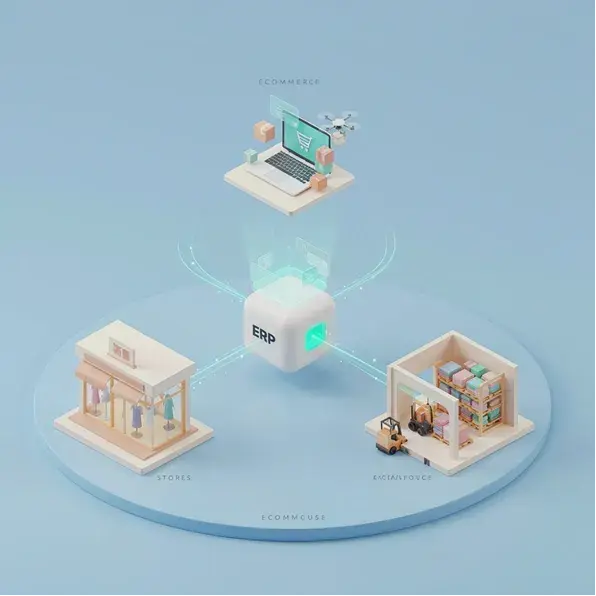
A retail ERP implementation for a fashion brand succeeds or fails on three things decided before go-live: whether the data being migrated has been cleaned and verified against physical stock, whether POS, warehouse, and marketplace integrations run on one real-time inventory layer instead of batch syncs, and whether the rollout is phased through pilot stores rather than switched on across the whole network at once.

Planning your fashion ERP implementation?
Make sure your data, integrations, and store network are ready for the transition.
Signs It's Time to Update Your Retail ERP
Before the checklist, a brief word on timing. Most fashion retailers don't decide to implement an ERP overnight; it builds quietly, as the cost of staying on the current system starts to outpace the cost of switching. The businesses that time this well are watching for a specific set of signals, not just general dissatisfaction.
The clearest ones:
- Inventory counts that don't reconcile across locations and keep drifting further apart each audit cycle.
- Buying decisions made on last month's, or worse, last year's sell-through data because this week's isn't available yet, a lag that, in a business where trends move fast, translates directly into avoidable markdowns.
- Pricing and promotions that have to be pushed to each store manually instead of syncing centrally, which is only a matter of time before one location is quietly running the wrong price.
- And reporting that depends on an analyst manually assembling numbers before a leadership review can even start.
None of these are fatal on their own, but they compound. If two or more of these sound familiar, the real question isn't whether to implement a new system. It's how to do it without disrupting the operation the business is already running.
Before You Start: Map Goals and Scope
The first thing an implementation needs is a clear answer to two questions: what problem is this solving, and what is in scope on day one versus later?
Fashion retailers that try to implement everything simultaneously, ERP, POS, WMS, marketplace integrations, loyalty, and analytics across all stores at once almost always run into trouble. The scope becomes unmanageable, timelines slip, and teams that are already managing daily operations don't have the bandwidth to support a full-network transition at the same time.
Define the primary goal first. Is it inventory accuracy across stores? Real-time sell-through visibility? Omnichannel stock synchronisation? That goal determines which parts of the system need to go live first and which can follow in a second phase. Scope creep during implementation is one of the most reliable predictors of a delayed go live.
Step 2: Choosing the Right ERP for Fashion Retail
By this stage, the platform decision should be close to final. But one check worth running before signing: does the ERP handle style-size-colour inventory natively, or does it require configuration to get there?
This distinction matters more than it sounds. A system that manages variant inventory natively has the matrix built into its product data structure. Every report, every replenishment trigger, every transfer decision runs on variant-level data from day one. A system that achieves this through custom fields or category workarounds requires those workarounds to be built and maintained, and they introduce fragility into every downstream process that depends on inventory accuracy.
For fashion brands specifically, this is a non-negotiable in any platform decision.
Step 3: Data Cleansing and Migration
Data migration is where most implementations encounter their first serious problem, and it is almost always underestimated.
Years of accumulated SKU data, supplier records, pricing history, and inventory counts sit across disconnected systems in formats that don't match the new platform's structure. Before any of this can move, it needs to be cleaned. Duplicate SKUs need to be resolved. Inventory counts need to be verified against physical stock. Size and colour naming conventions need to be standardised, particularly for brands where different stores or buying teams have created their own conventions over time.
The rule worth following: do not migrate unclean data into a clean system. The new platform will reflect whatever goes into it, and cleaning data after go-live, while the operation is running on the new system, is significantly harder than cleaning it before.

Get your ERP implementation right from the start.
Ginesys helps fashion retailers move to a connected retail platform without disrupting day-to-day operations.
Step 4: Integration Planning (POS, Warehouse, and Marketplace)
These integrations define how well the ERP functions in a fashion retail context.
POS integration needs to be real-time. Every sale at every counter should be deducted from the central inventory record immediately. Batch sync introduces the lag that causes stockout surprises and pricing discrepancies. Test this under peak-volume conditions before go-live, not after.
Warehouse integration needs to cover inbound receiving, transfers, and picking on the same data layer as the rest of the system. A WMS running on a separate sync cycle creates the same problems as a disconnected POS: inventory counts that are accurate somewhere but not everywhere.
Marketplace integration, Myntra, AJIO, Flipkart, and Amazon, should connect to the same central inventory pool. If a third-party connector sits between the ERP and the marketplace, understand how it handles sync failures and what the fallback is when it goes down during a high-volume period.
Selling across Myntra, AJIO, Flipkart, and Amazon?
See how Ginesys OMS keeps marketplace and store inventory on one connected system.
Step 5: User Roles, Training, and Change Management
This gets compressed in most implementation plans, and it is where a significant amount of post-go-live pain originates.
Every person touching the system needs a defined role with appropriate access. Buying teams, store managers, warehouse staff, finance, and the operations head all interact with the ERP differently. Access management isn't just a security question. It is a data integrity question: a store manager who can accidentally override a central pricing rule is a liability the system shouldn't allow.
Training needs to be hands-on, not theoretical. Staff who understand the new system conceptually but haven't run through their actual daily workflow in a test environment will slow down on go-live day. For store staff especially, the training environment should mirror the go-live environment as closely as possible. That includes the hardware, the workflows, and the specific exception scenarios they are most likely to encounter.
Change management is the softer piece that technically focused implementation teams often skip. The people most affected by a new system are the ones whose current workarounds disappear. Acknowledging that openly, explaining why the new process is better, and having leadership visible in the rollout reduces the resistance that quietly undermines adoption in the weeks after go-live.
Step 6: Phased vs Full Implementation
For a brand with fewer than ten stores and relatively straightforward inventory, a full implementation across the network in one go is achievable if the data migration is clean and the team is prepared.
For anyone running a larger store network, a phased rollout is almost always the right decision. Start with two or three pilot stores that represent the range of formats and geographies in the network. Run the new system in parallel with the old one for a defined period. The discrepancies you find during this phase are the configuration gaps you need to fix before they propagate across the full network.
The pilot stores should be chosen deliberately: one high-volume location, one mid-tier, one with atypical inventory requirements. The edge cases the system needs to handle show up in pilot stores, not in ideal conditions.
Go-Live Checklist
- Confirm physical inventory counts match system records at every location.
- Verify that all POS devices are syncing to central inventory in real time.
- Test a complete transaction cycle: sale, return, exchange, loyalty earn and redeem.
- Confirm pricing and promotions are live and consistent across every store and channel.
- Run a test marketplace order to verify inventory deduction and order routing.
- Confirm user roles and access permissions are correct for every team.
- Have vendor support on standby for the first week.
Ready to move beyond spreadsheets and disconnected systems?
See how Ginesys brings ERP, POS, WMS, and marketplace operations onto one platform.
Common Retail ERP Implementation Mistakes
The most consistent ones, across fashion retail implementations of every size:
Going live before the data migration is fully validated. Inventory counts that don't match physical stock on day one create a credibility problem with store teams that takes months to recover from.
Training too close to go-live. Staff who learned the system two days before launch will be slow and uncertain on the busiest days of the transition.
Integrating marketplaces before the core inventory layer is stable. Marketplace overselling during a new season launch is a visible, customer-facing failure that happens when the integration is connected to an inventory record that isn't yet accurate.
Skipping the parallel-run period because of time pressure. The parallel run is the safety net. Removing it to hit a launch date removes the ability to catch problems before they become operational incidents.
Post-Implementation: Metrics That Indicate Success
Inventory accuracy rate across locations, tracked weekly for the first month. Pricing consistency across stores and channels, measured by exception reports. Sell-through reporting speed: how quickly can a variant-level sell-through report be produced without manual assembly? Replenishment trigger accuracy: is automated replenishment firing correctly based on actual store-level demand? Staff adoption rate: are teams using the system as designed or finding workarounds that suggest training gaps?
These metrics tell the real story of whether the implementation delivered what it was supposed to. The go-live date is not the finish line. The first peak-volume period after go-live is.

Not sure where your implementation plan has gaps?
Talk to a Ginesys expert about your data, store network, and go-live timeline.
Frequently Asked Questions (FAQs)
How long does a retail ERP implementation take for a fashion brand with 20+ stores?
A phased rollout across a larger network takes longer than a single-store or pilot deployment, with the total timeline depending on data complexity, the number of integrations being set up, and how many store formats are in the network. The pilot phase, typically two to three stores with a parallel run, should be treated as a distinct stage; issues caught here are far cheaper to fix than issues caught after full rollout.
What is the single biggest risk in a fashion ERP implementation?
Migrating inaccurate inventory data. If the system's opening stock counts don't match physical stock across locations, every downstream process, replenishment, transfer, sell-through reporting, marketplace sync, runs on a foundation that is already wrong. A thorough data cleanse and physical stock verification before migration is the highest-value step in the entire process.
Can a fashion brand continue selling during ERP implementation?
Yes, and this is exactly why phased rollouts exist. Stores not yet on the new system continue operating on the current one. The migration happens location by location, so the business stays operational throughout. The risk of a full simultaneous cutover where every store switches on the same day is that any system issue affects the entire network at once, with no fallback.
What's the biggest data migration mistake fashion brands make during ERP implementation?
Migrating data that hasn't been cleaned or validated against physical stock. Duplicate SKUs, inconsistent size and colour naming, and unverified inventory counts carry every existing error straight into the new system, which is far harder to fix once the business is live and depending on that data.
Should a fashion brand run a full rollout or a phased implementation?
For a brand with fewer than ten stores and straightforward inventory, a full rollout in one go can work if the data migration is clean and the team is prepared. For larger networks, a phased rollout starting with two or three pilot stores that represent different formats and geographies is almost always the safer path.